The loop, in 14 steps.
Real screens, no sign-up. Use the arrows, the dots or your keyboard.





1 / 14
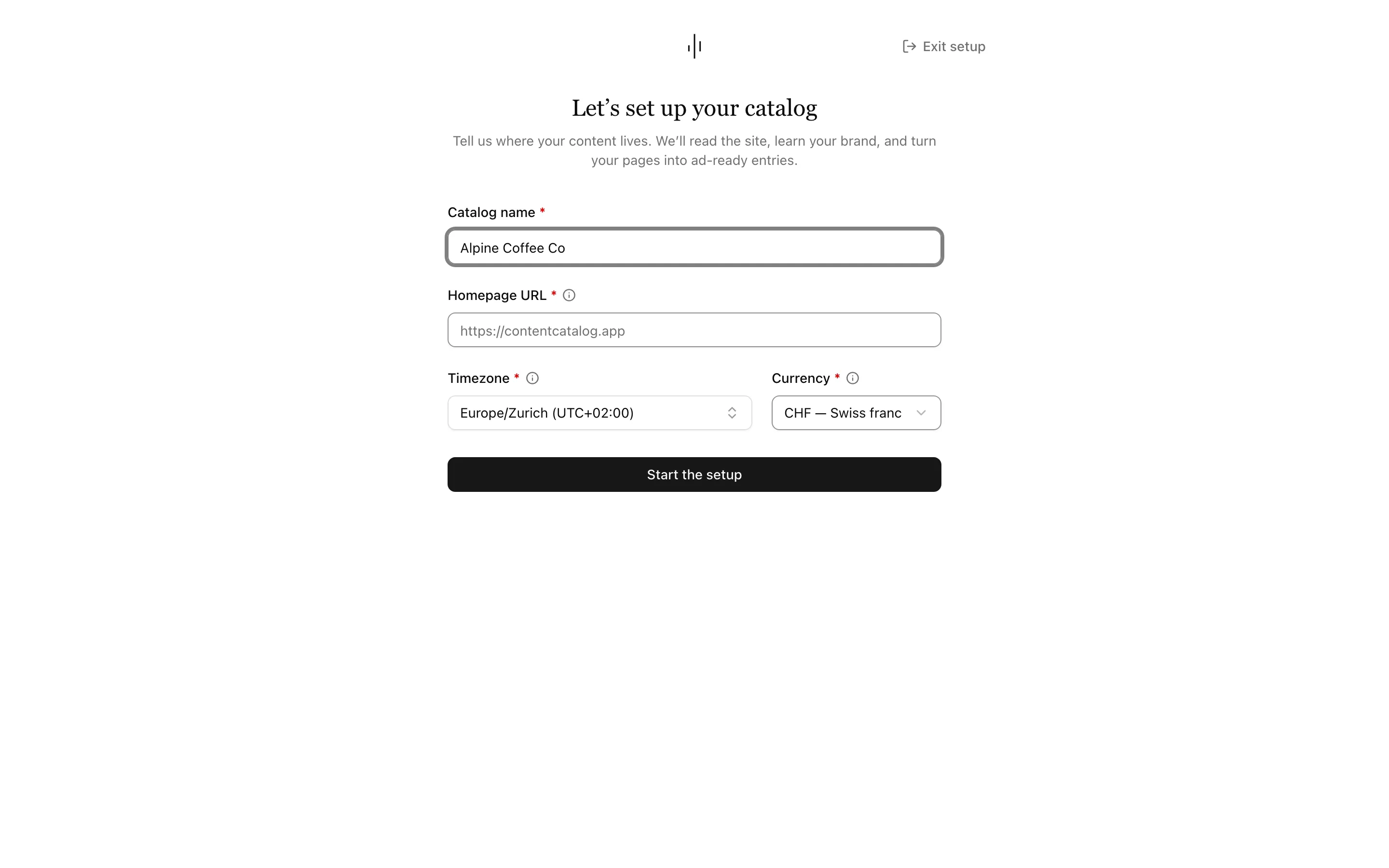
Drop in your website
Name your catalog, add your homepage URL and choose your timezone and currency. During setup, pick Meta or TikTok as your first platform, or decide later. The go-live checklist ticks off the connection when the platform reads your feed.
2 / 14
Your brand, in one place
Core reads your brand kit from your website: name, description, tone of voice, named colors, logos, fonts and social profiles. Re-extract from site fills what is missing and keeps your edits.
3 / 14
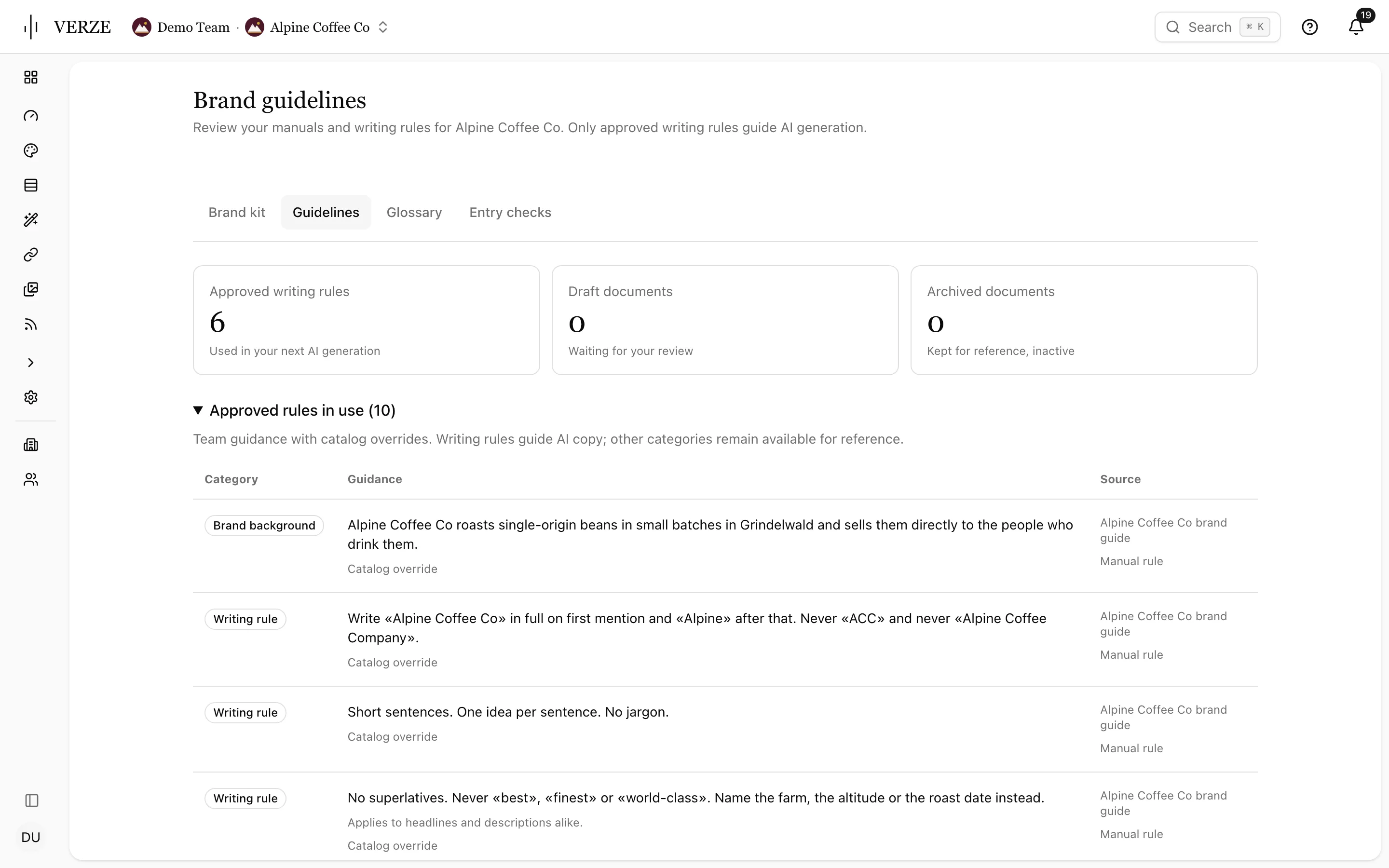
Approve the rules AI writes with
Upload your brand manual as a private PDF and approve the writing rules VERZE finds. Only approved rules guide AI writing. Keep preferred terms, terms to avoid and do-not-translate terms in a glossary per language.
4 / 14
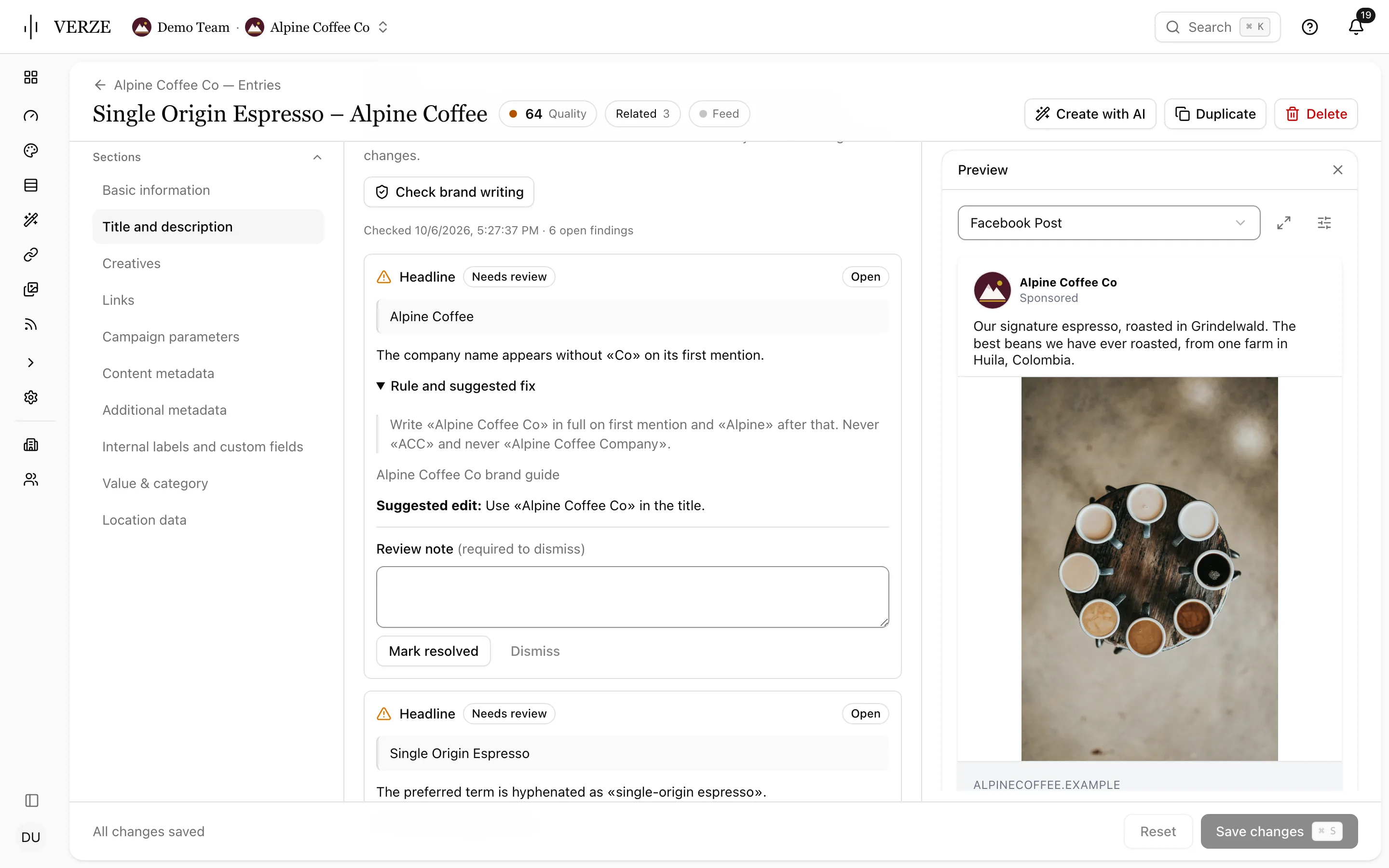
See what needs a brand review
Check brand writing lists findings with the rule and a suggested edit. Mark resolved or dismiss with a note; checks run again after edits. Your team or catalog can use findings as warnings or block approval and export.
5 / 14
Your site, watched
New landing pages are found as they get published. Every page behind an ad is checked again and again, so a change by the website team never hurts ad performance or sends people to a dead page.
6 / 14
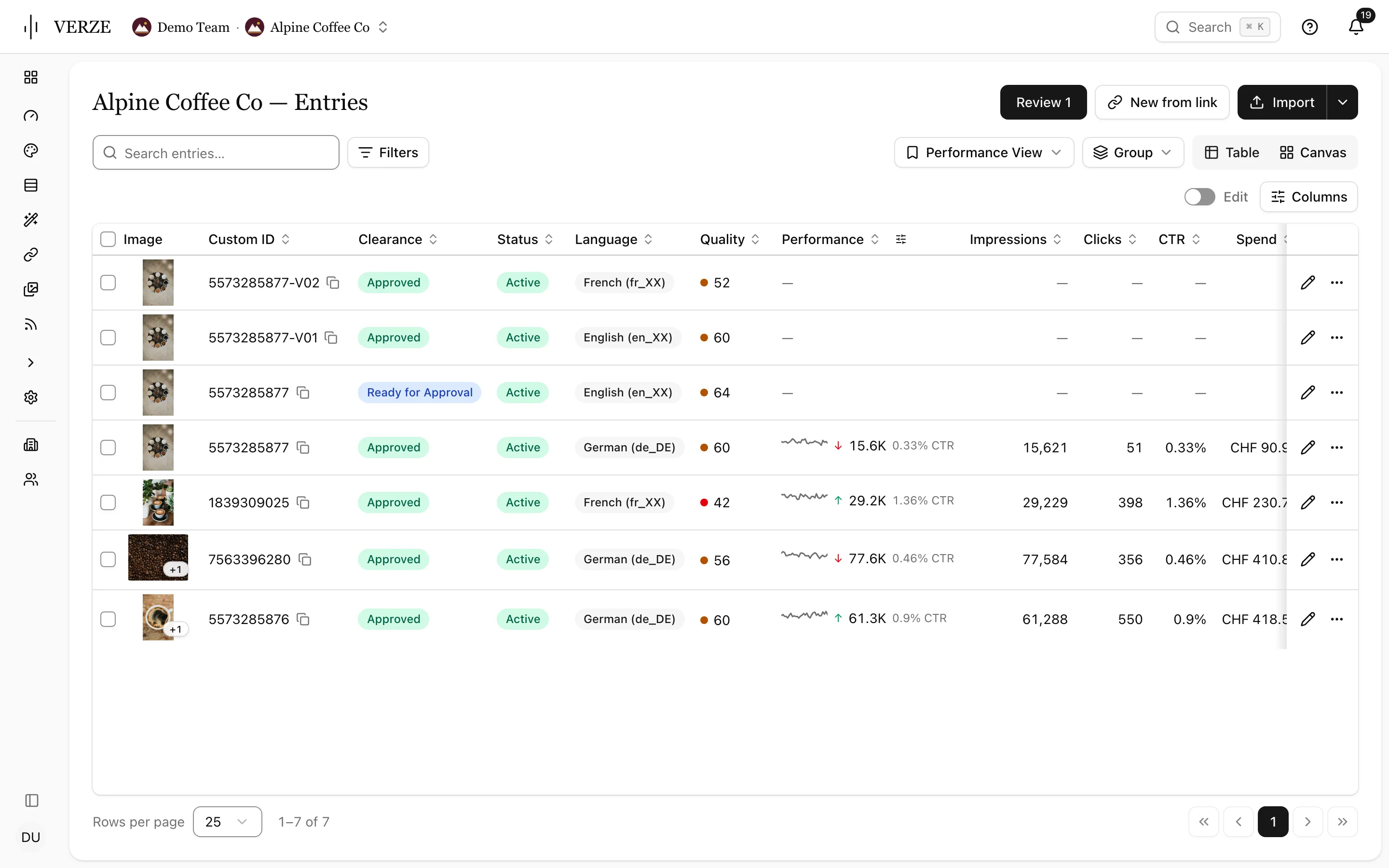
One row per message
Each entry carries its clearance, status, language, feed, related variants and a quality score: the fields your reviewers and the ad platforms both read.
7 / 14
A score before anything ships
The quality score shows how ready an entry is for the platforms. A low score names what is missing and Core fixes what it can. Translations, metadata and endless text variations come from the same place.
8 / 14
All your media in one place
Every image and video from your site, plus anything you upload. Each file is analysed, so you can find it in plain words and every ad gets a smart crop that shows what matters. AI-edited files are recognised and can carry the EU AI Act label on the way out.
9 / 14
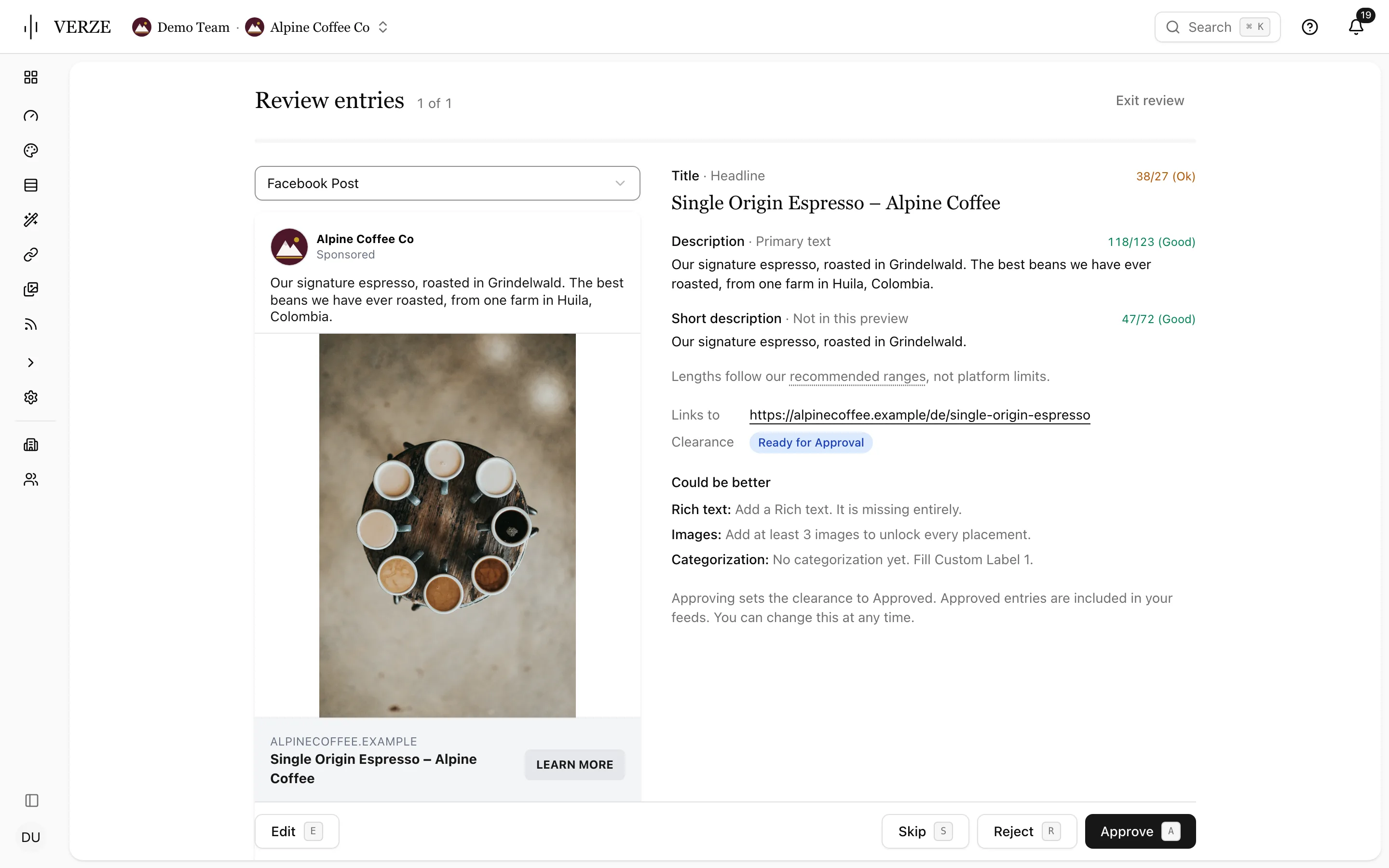
Approve once. Always on the record.
Review entries while seeing the ad as a Facebook post, story or reel, carousel or right-column ad. Check the text and its length beside the preview. Press A to approve, S to skip or E to edit.
10 / 14
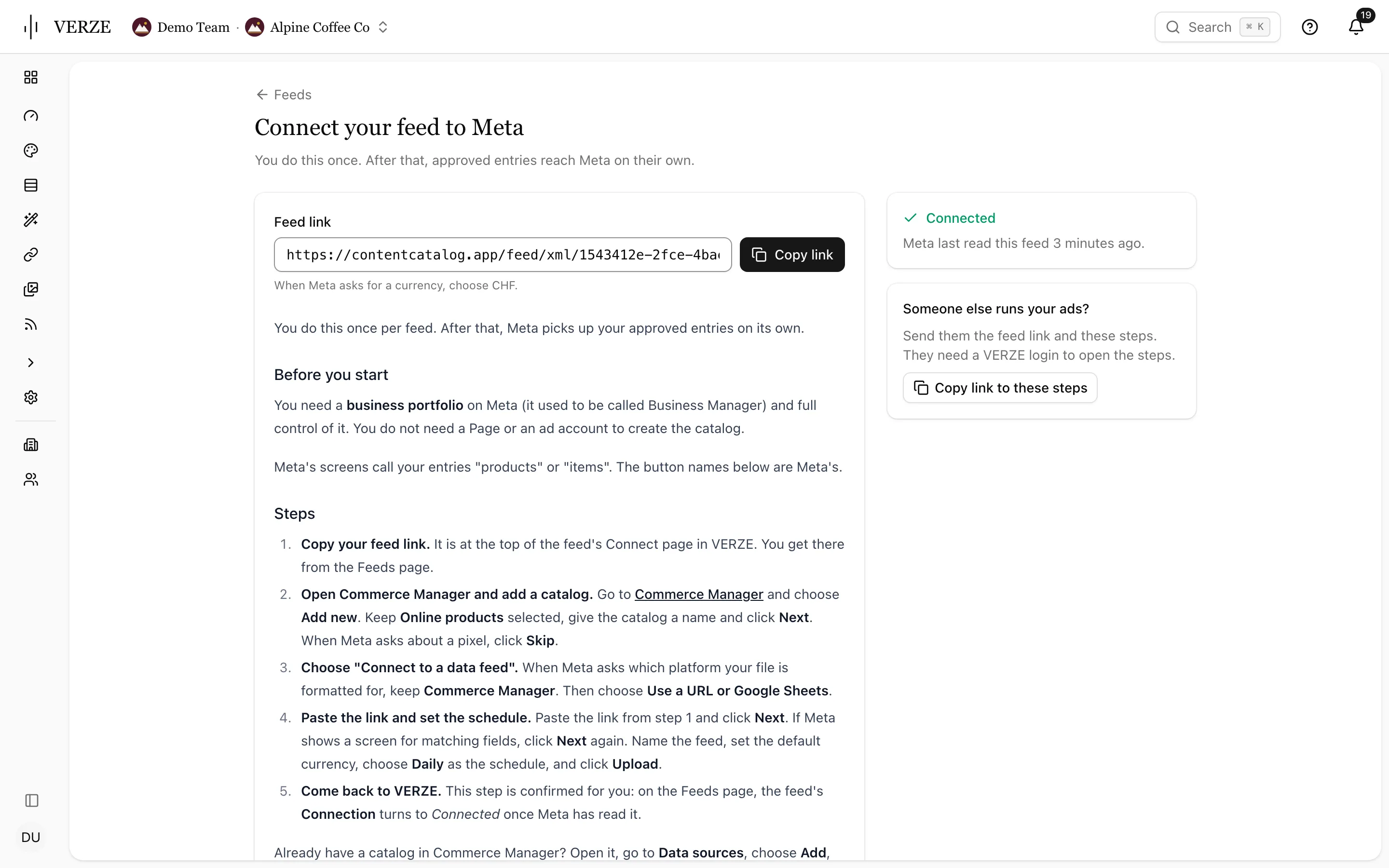
Approved entries become feeds
Pick Meta, TikTok, Reddit or OpenAI first and see how many approved entries your new feed will hold. The Connect page gives you the link and setup steps. You see when Meta has read it. Copy link to these steps sends the setup to whoever runs your ads.
11 / 14
Every format, every language
Studio takes your brand kit and templates, then renders every entry in every placement format. Hundreds of story ads in five languages are a filter and a template, not a week of production. Reviewers react on a public preview link and the renders go back onto the entry.
12 / 14
Images and video, in the same place
Generate, restyle and retouch images. Cut video, dub it, add captions per language, reframe a landscape clip for stories or turn a still into a video. Every result is pushed back to its entry.
13 / 14
See what your ads actually did
Lens pulls results from Meta onto every entry and keeps the history. Save a performance view with your columns, pinned fields, density, filters, sort and grouping. Keep it personal or share it with the team. Lens adds Campaigns, Objective, Top placement and Top country as columns and filters, with result metrics for awareness, engagement and leads.
14 / 14
Your entries next
Bring one website or one campaign and we run the loop on your own material.