VERZE Core
Every marketing message you have, in one library the platforms can read.
Start with the marketing content you already have, like your website. Core turns it into entries with your brand, media and translations attached, checks them and feeds the approved ones to Meta, TikTok, Reddit and ChatGPT ads. Decks, datasheets and your asset library join the same place.
Drop in your website. Core does the rest.
Name your catalog, add your homepage URL, timezone and currency, then pick Meta, TikTok or decide later. Core reads your website into entries. The go-live checklist ticks off the connection once the platform reads your feed.
Brand, extracted
Your brand kit includes name, description, tone of voice, named colors, logos, fonts with font files and social profiles. Re-extract from site fills missing details and keeps your edits.
Pages become entries
Core reads every page, spots the ones that work as landing pages and creates entries from them. Most landing pages end up with ten to fifty ad variants.
New pages, auto-discovered
New potential landing pages are found as they get published and are ready to become entries.
Your site, watched
Every page behind an ad is checked again and again, so a change by the website team never hurts ad performance or sends people to a dead page.
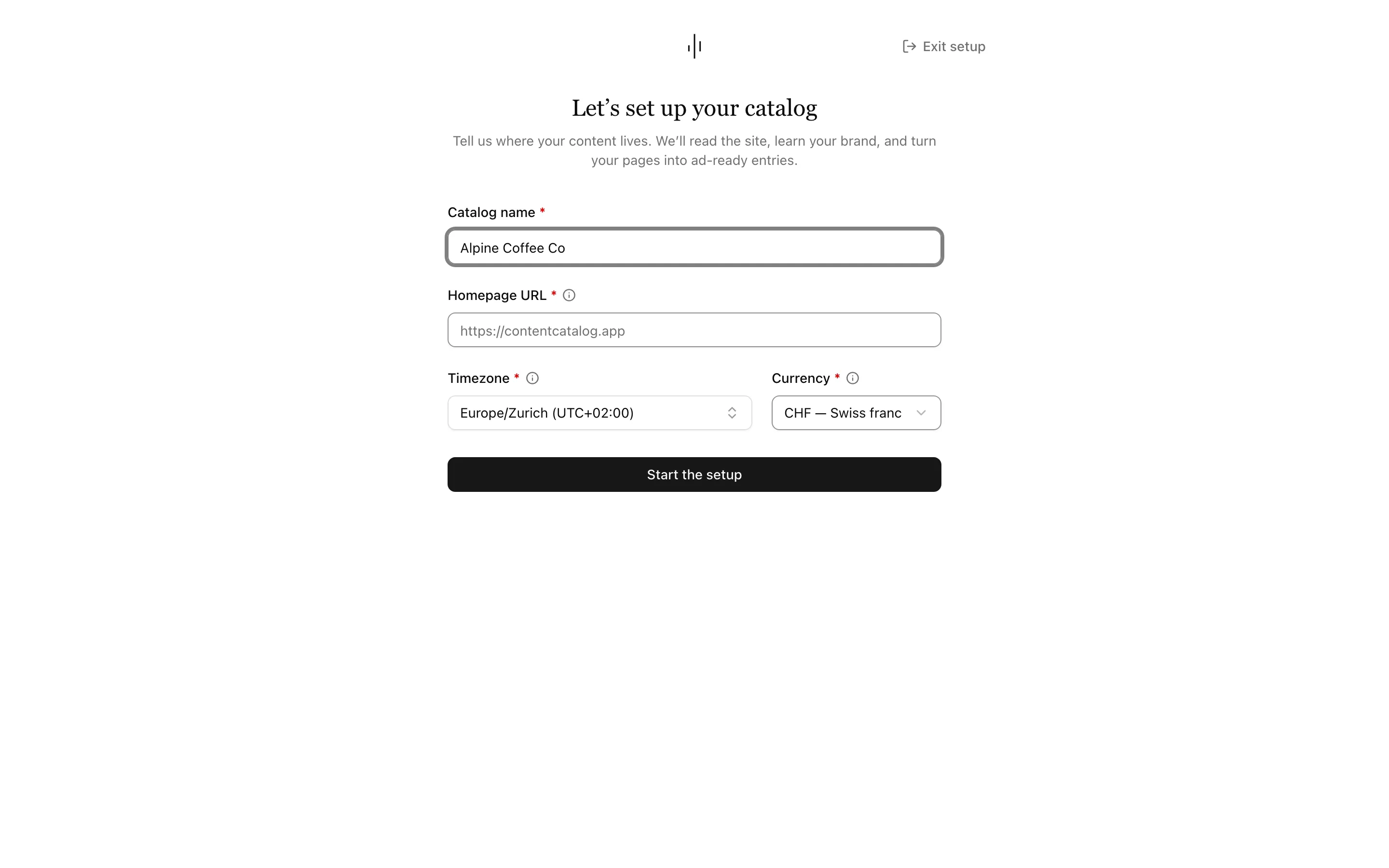
Your writing rules, approved by you.
Upload your brand manual as a private PDF. Review the writing rules VERZE finds and approve the ones AI should use. Only approved rules guide AI writing.
Guidelines
Keep the approved writing rules with your brand kit in one place per catalog.
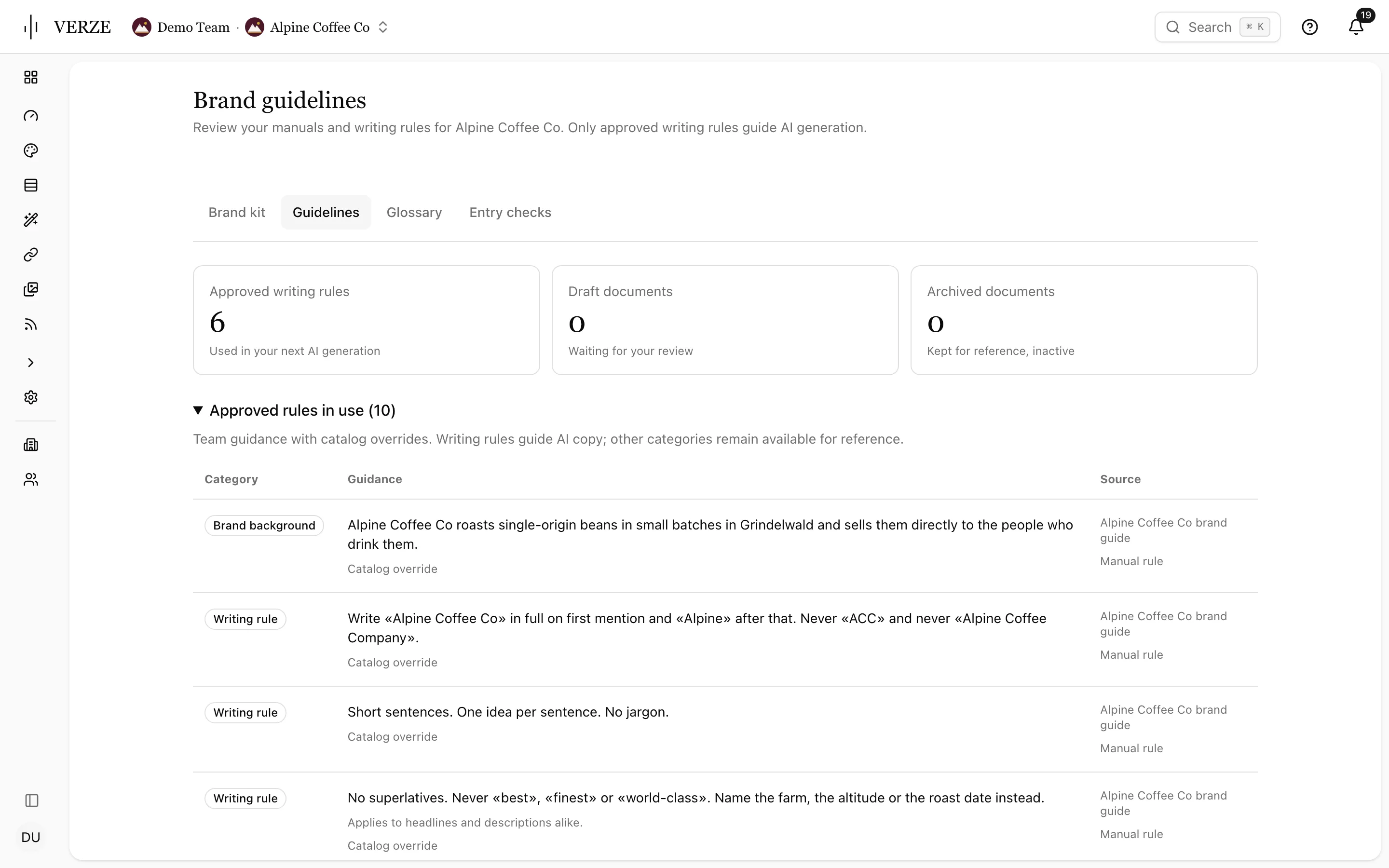
Glossary per language
Set preferred terms, terms to avoid and do-not-translate terms. Find terminology suggests terms from your manuals.
Brand check coverage
See which entries have a current check, an outdated check or no check. Select entries to check together.
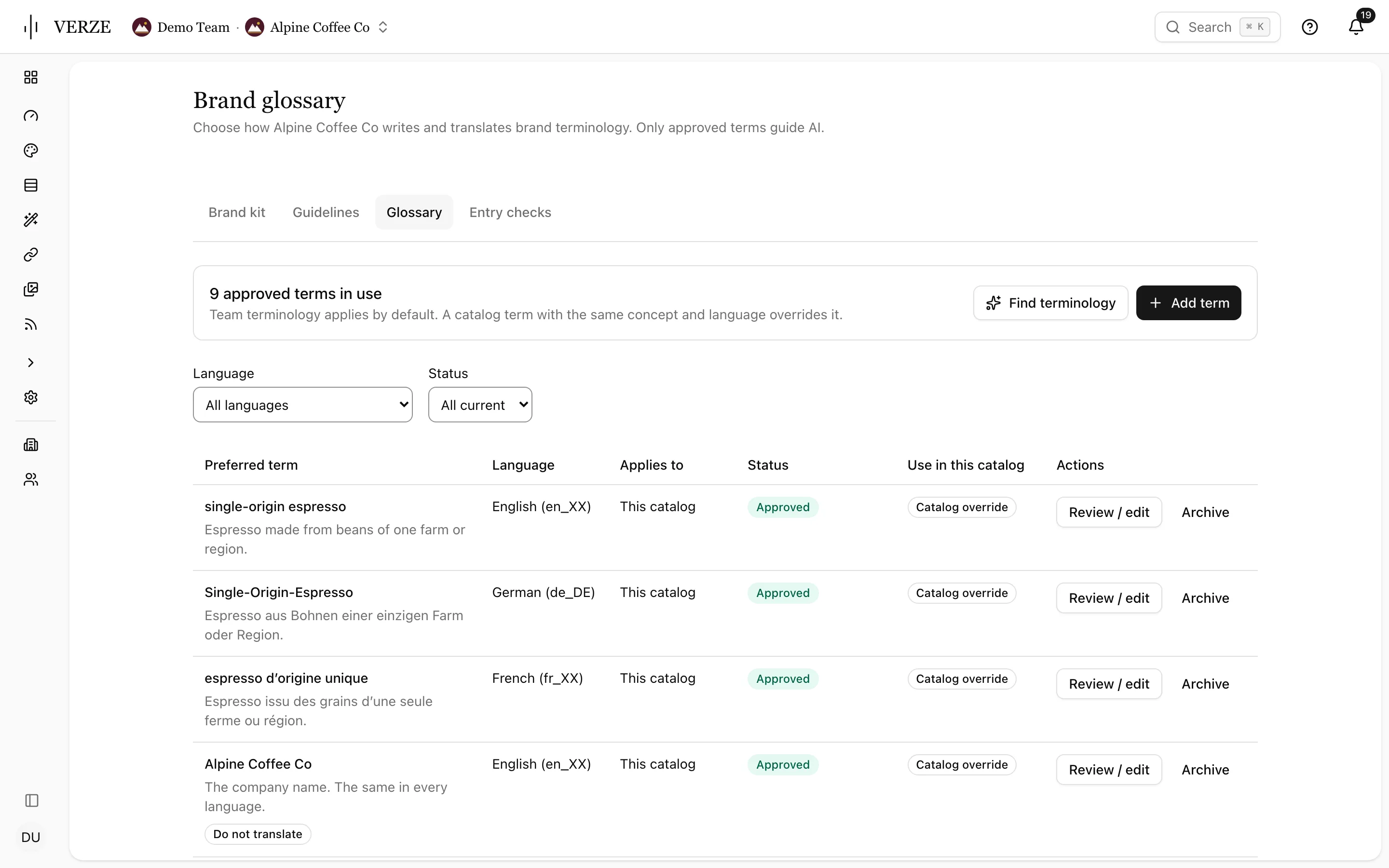
All your media in one place.
Every image and video from your site, plus anything you upload, in one library. Each file is analysed, so you can find it in plain words and every ad gets a smart crop that shows what matters. AI-edited files are recognised and can carry the EU AI Act label on the way out, with the original left untouched.

Entries the ad algorithms understand deeply.
The quality score names what is missing and Core fixes what it can. Translations, metadata and text variations come from the same place.
Quality score
A score names what is missing. Fix it in place or let Core fill what it can.
Translations
Any language, automatically. Core spots when a translated landing page already exists for the language you are creating.
Metadata
The fields the ad algorithms read are filled for the best possible starting point.
Endless variations
Multiply headlines and copy with AI, grounded in your tone of voice and your existing content, so nothing sounds off.
Saved views
Save columns, pinned columns, density, filters, sort and grouping as a named view with a color. Keep your saved view personal or share it with the team, and find it in the sidebar.
Quality
- Title0/20
- Description0/20
- Short description0/15
- Rich text0/10
- Images0/25
- Categorization0/10
Our recommendations for a complete entry. A high score doesn't imply better ad results.
Single Origin Espresso — Alpine Coffee
5573285877de_DEapproved
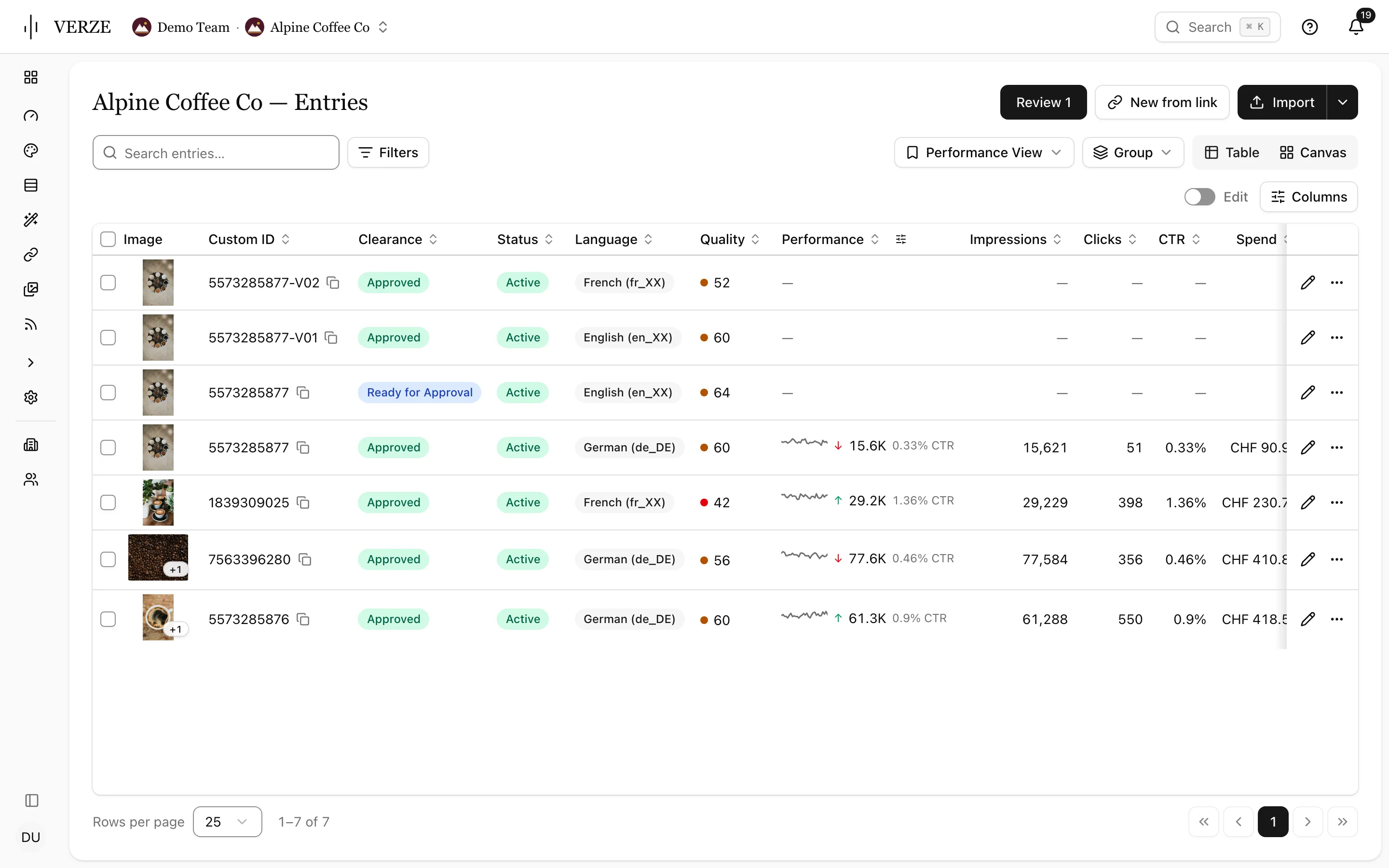
Approved entries become feeds you can use anywhere.
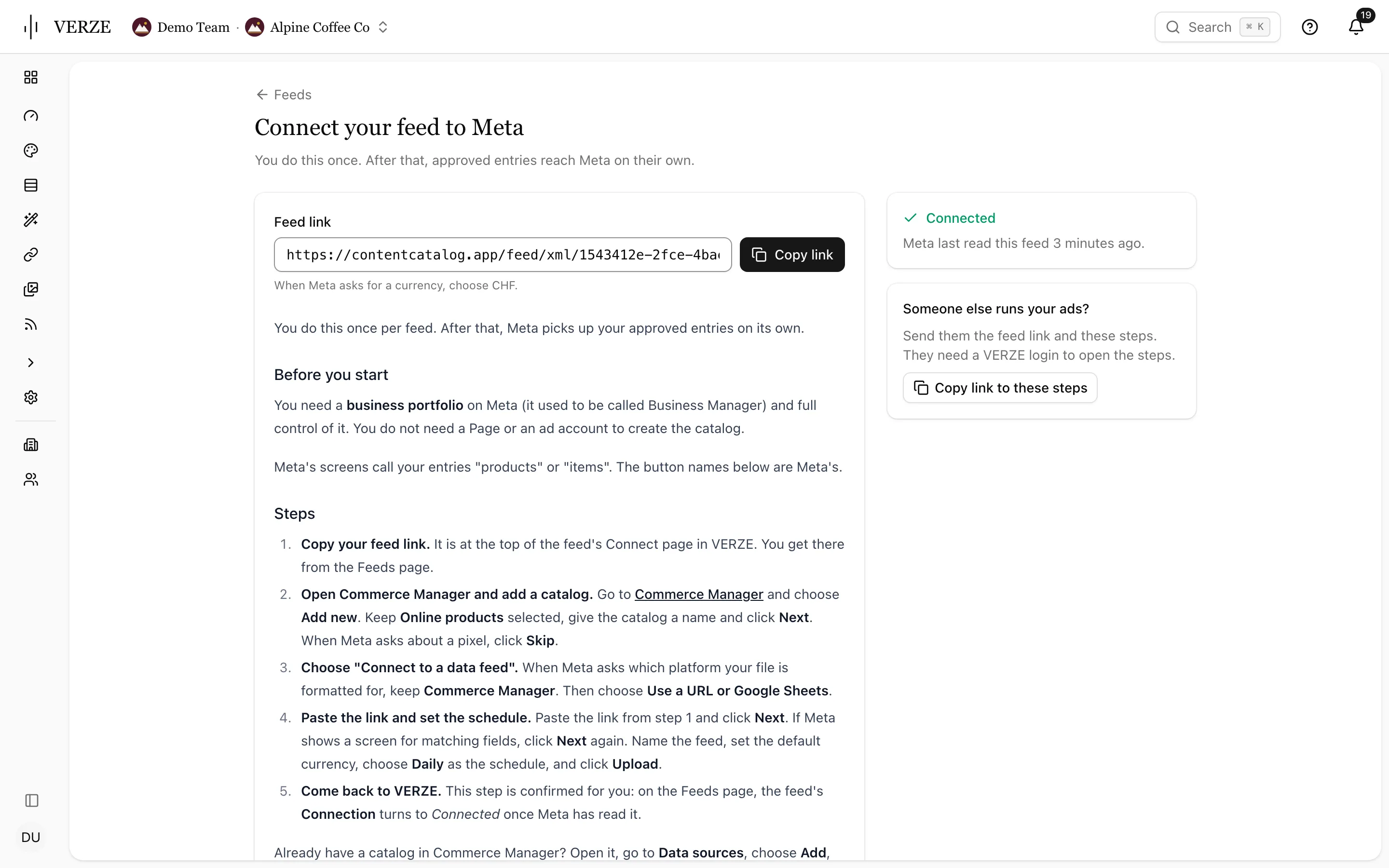
Pick Meta, TikTok, Reddit or OpenAI first and see how many approved entries your new feed will hold. New feeds include approved entries only. Open Connect for the feed link and that platform’s steps. It turns to Connected when the platform reads the feed. Use Copy link to these steps for whoever runs your ads; check connection status on Feeds and feed health on the overview.
Who changed what and when. Always on the record.
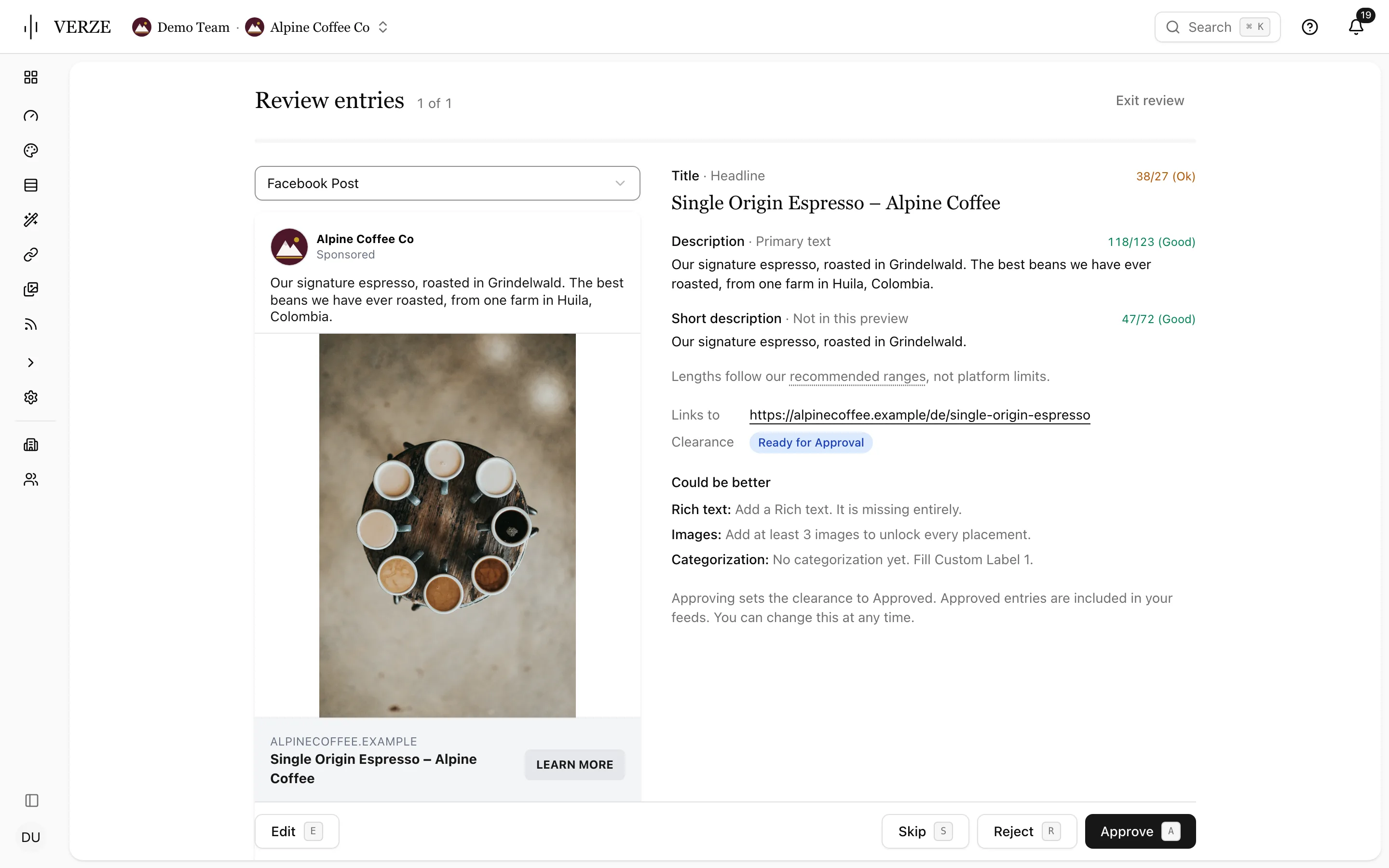
Review entries while seeing the ad as a Facebook post, story or reel, carousel or right-column placement. The text and length checks sit beside the preview. Every change stays on the record. Brand findings also appear on the overview, with daily or weekly email reports.
Change record
Every edit, approval and export has a name and time. Tag your client or a colleague on the entry for a review.
Review queue
Press A to approve, S to skip or E to edit while you see the entry as an ad.
Brand writing checks
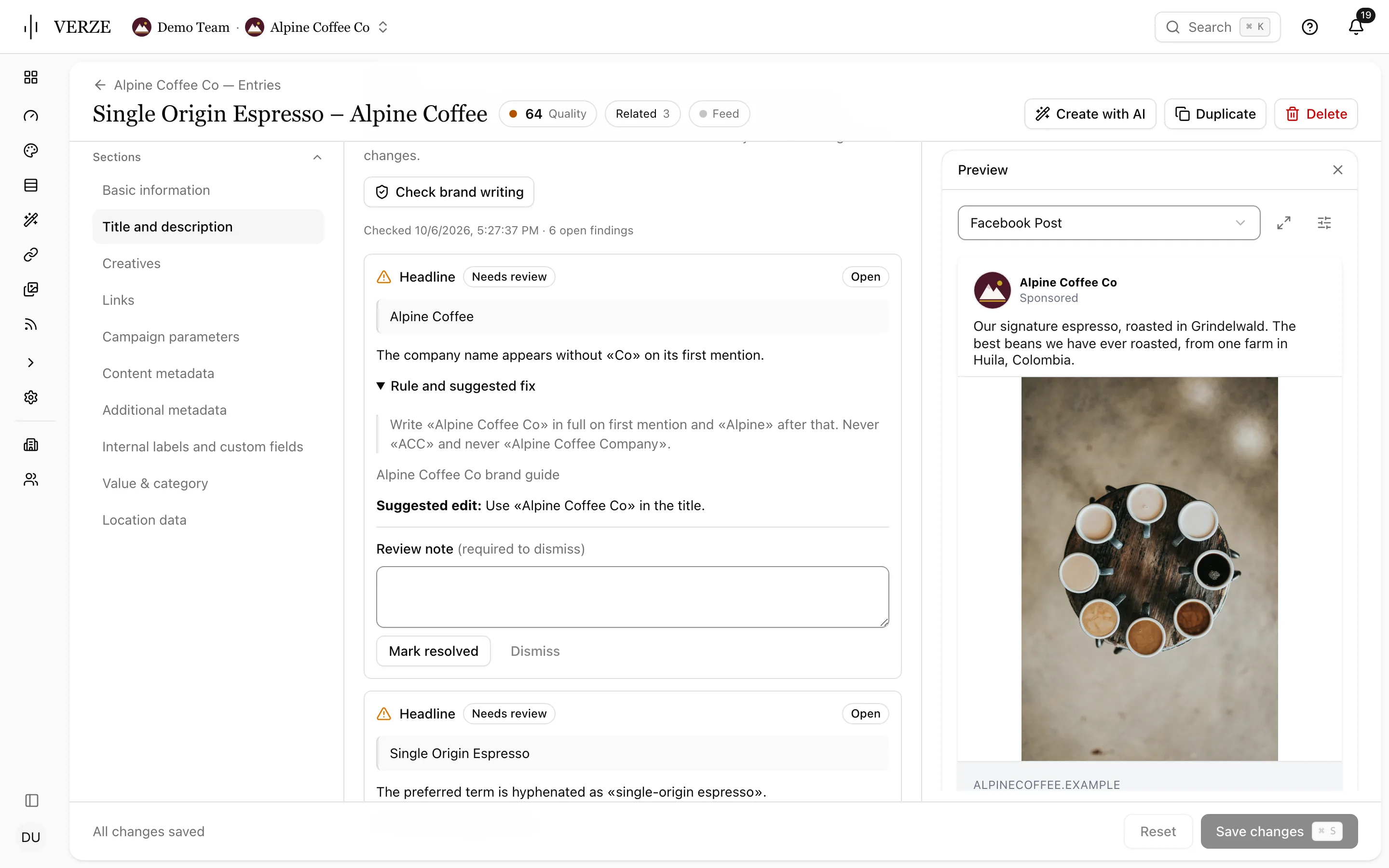
Each finding names the rule and suggests an edit. Mark resolved or dismiss with a note; checks run again after edits. Choose warnings or block approval and export per team or catalog.
Start and expiry
Give an ad a start and an end date. It goes down on time without anyone remembering to.
Help for the page you are on.
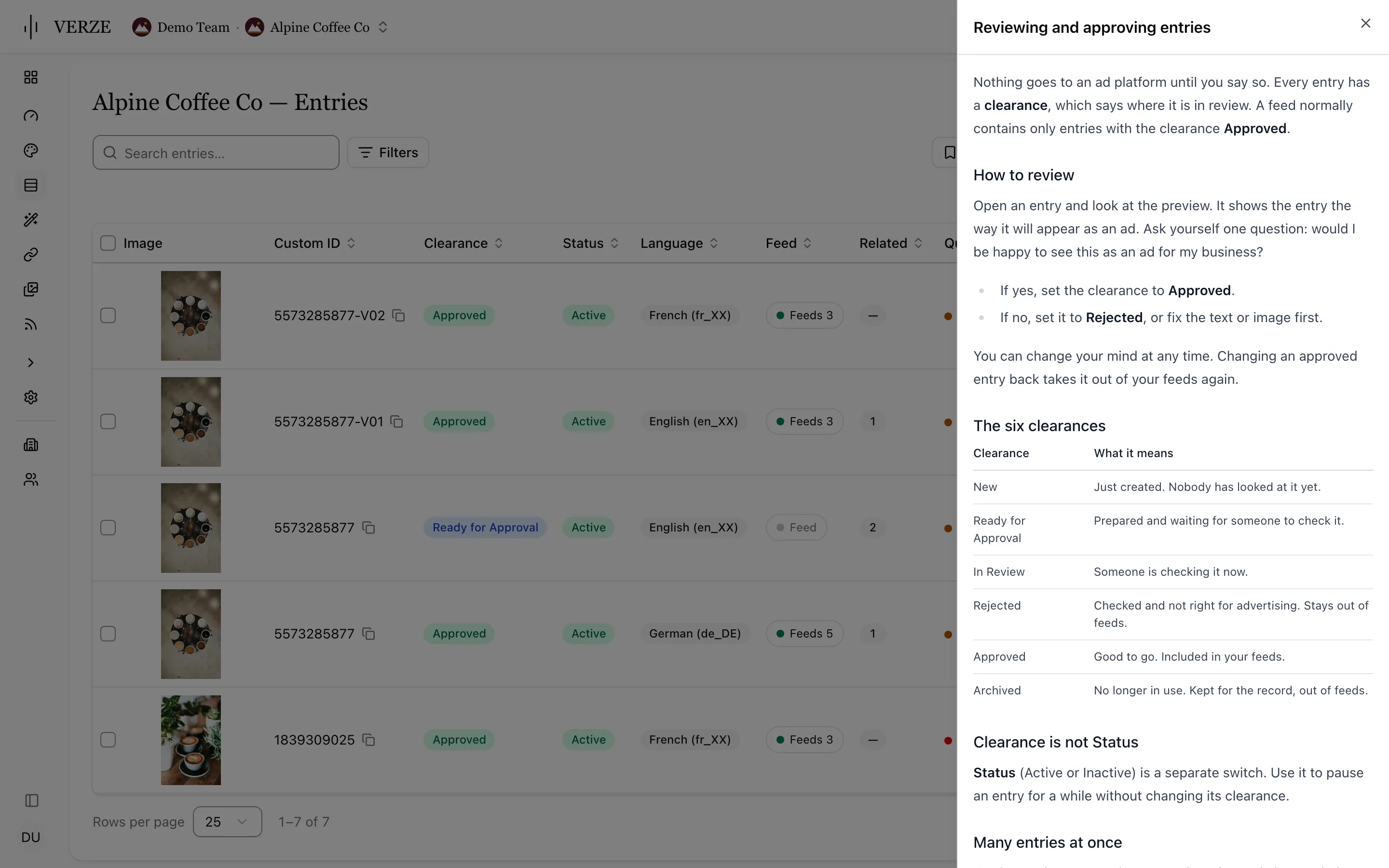
The Help button opens the article for your current page. Underlined terms explain themselves. Use ⌘K and choose Help for this page, or reach a person at team@verze.ai.
Bring anything in or let it come by itself.
Import and upload anything or connect your existing systems through the API. Decks, datasheets, asset libraries and more. Search across all your messages and assets semantically, in plain words.
blue Cinema
The film programme is checked twice a week. Every title becomes an entry with its poster, ready for the feed.
mySports
Every night, creatives for every match of every team are created automatically in three languages, with the right players in the picture.
Your own automation
The API can create entries, upload media or tell Core a page changed and needs scraping again.

Core is where it starts. The loop is why it compounds.
VERZE Studio
Turns entries into on-brand images and video and puts the results back on the entry.
Explore Studio
VERZE Lens
Results on every entry and across the whole library, so you can sort by what worked.
Explore Lens
Enterprise foundations
AI that respects your brand and data: human approval, compliance, control.
Learn more
Ready to get started?
Bring your website to the demo. Onboarding starts with one URL.