For Agencies
Turn client content into infrastructure you own.
Give every client one governed data layer across channels and turn one-off campaign work into recurring retainer value.
Start with your website. VERZE turns it into a library of approved ad entries, renders on-brand creatives from them and feeds them to Meta, TikTok, Reddit and ChatGPT ads. What the ads did comes back onto the same entries.
Performance
Last 30 days · as of …
Impressions
0
CPM
CHF 0.00
Clicks
0
CTR
0.00%
Spend
CHF 0.00
CPC
CHF 0.00
Drop in your website and Core extracts your brand, your pages and your media. Add a CSV, your asset library or whatever the API sends. New landing pages are found as they get published and every page behind an ad is watched, so a change by the website team never breaks a campaign.
Setup asks whether you start with Meta, TikTok or decide later. The go-live checklist confirms the connection when the platform reads your feed. Help opens the article for your current page, underlined terms explain themselves, and ⌘K offers Help for this page. A person answers at team@verze.ai.

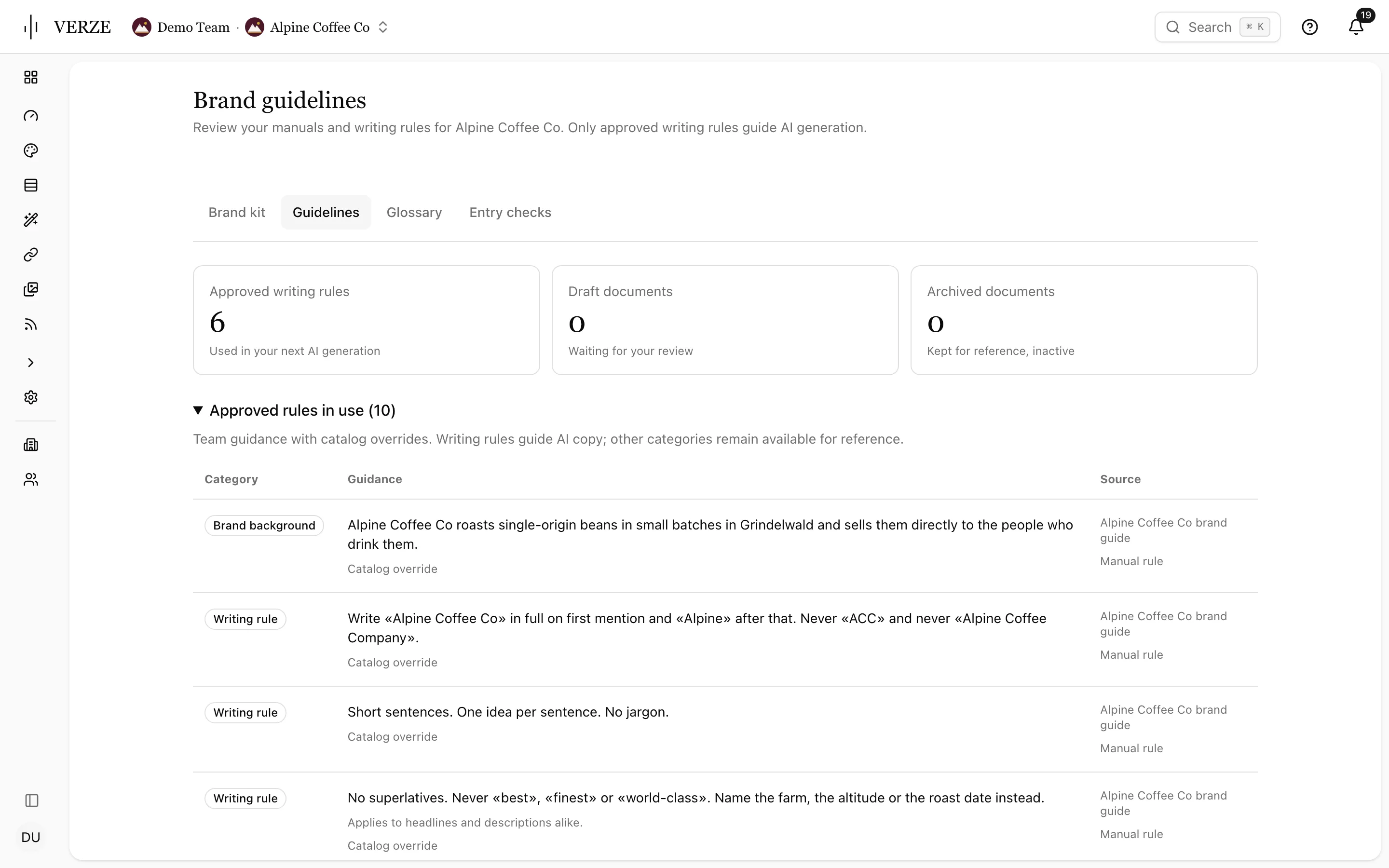
Keep your brand kit, writing guidelines and glossary in one place per catalog. Upload a private PDF manual and approve the rules VERZE finds. Only approved rules guide AI writing. Re-extract from site fills missing brand details and keeps your edits.
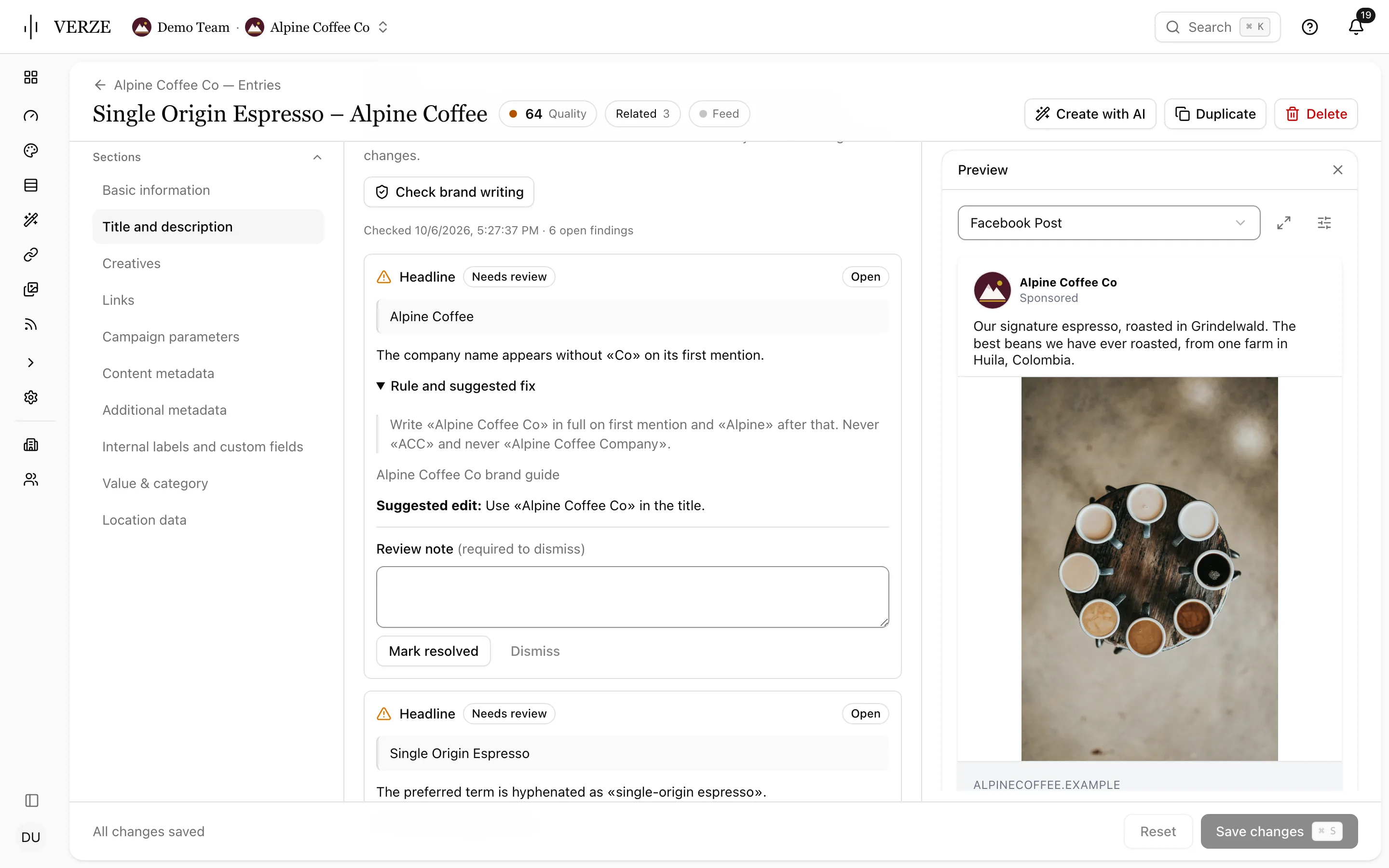
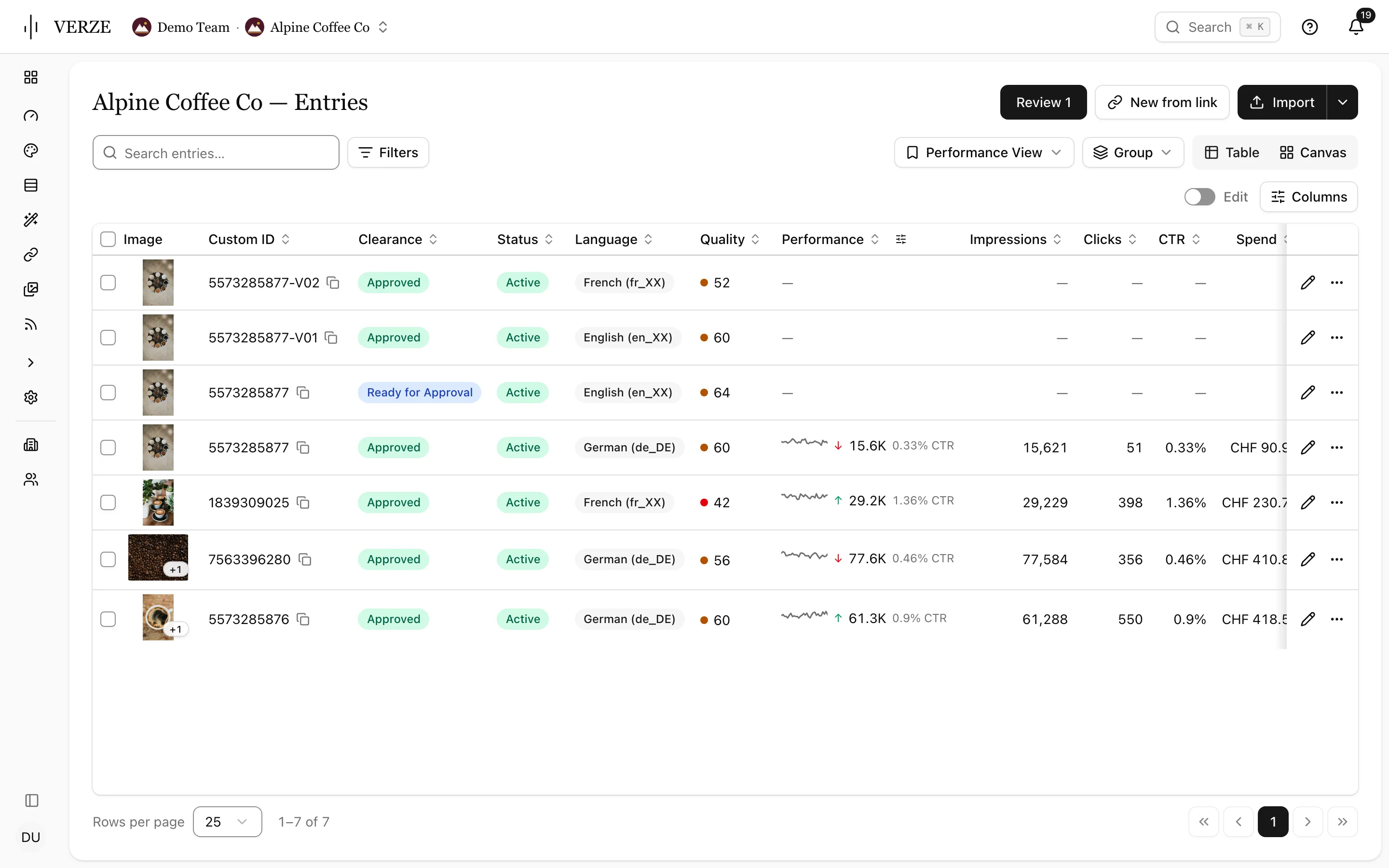
Core keeps every message as an approved entry. Studio turns entries into on-brand images and video and puts them back on the entry. Lens writes what the ads did onto the same entries, so the next round starts from evidence.
Save the entries table with your columns, order, pinned fields, density, filters, sort and grouping. Give each view a name and color, keep it personal or share it with the team, and open it from the sidebar.
Record
Every marketing message you have, as one library of approved entries, fed wherever they need to go.
Explore Core

Create
Turns entries into on-brand images and video and puts the results back on the entry.
Explore Studio
Return
Sees what your ads actually did and writes it back.
Explore Lens
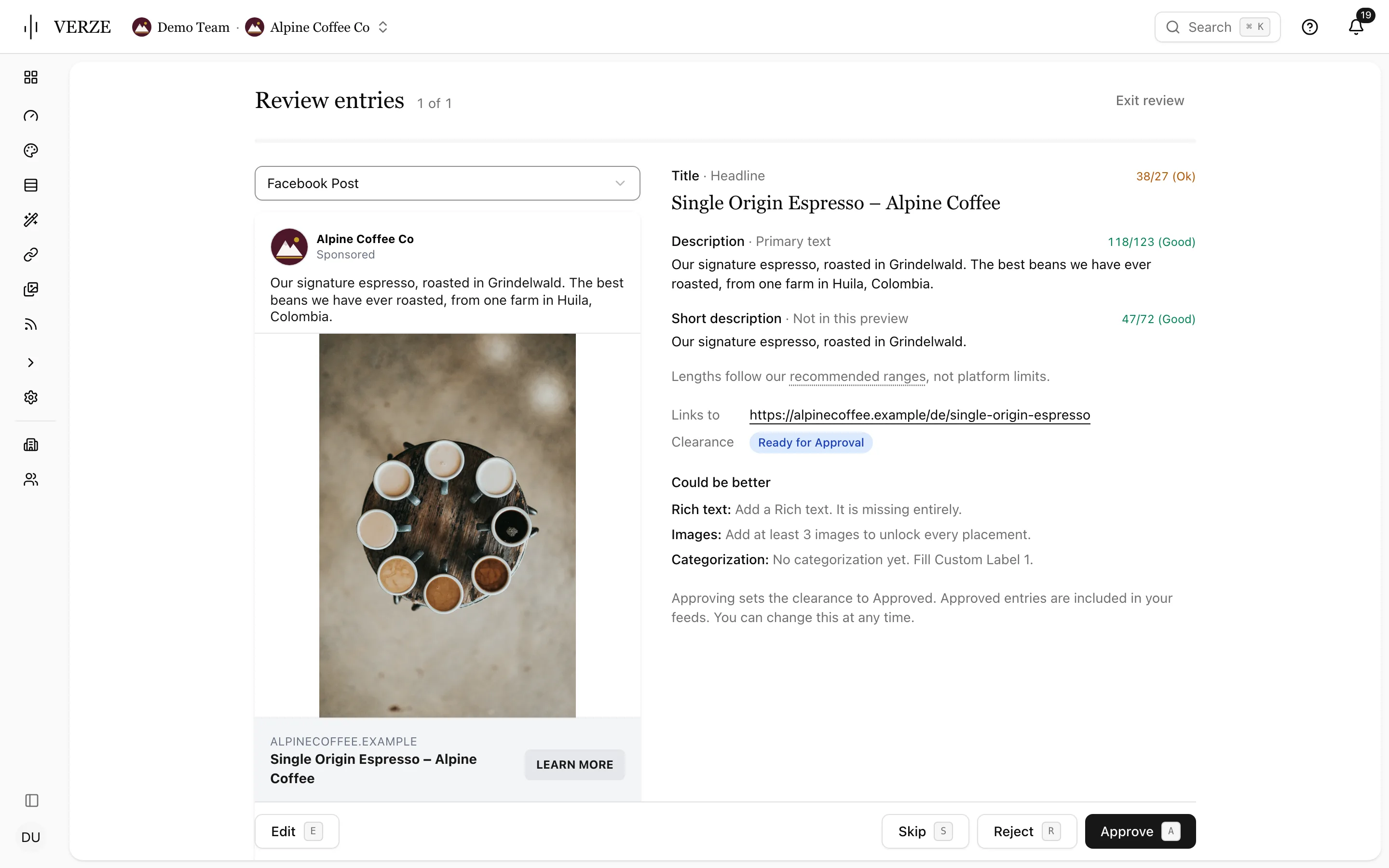
Review entries beside the ad preview and text length checks. Press A to approve, S to skip or E to edit. Choose Meta, TikTok, Reddit or OpenAI for a new feed and see how many approved entries it will hold. New feeds include approved entries only.
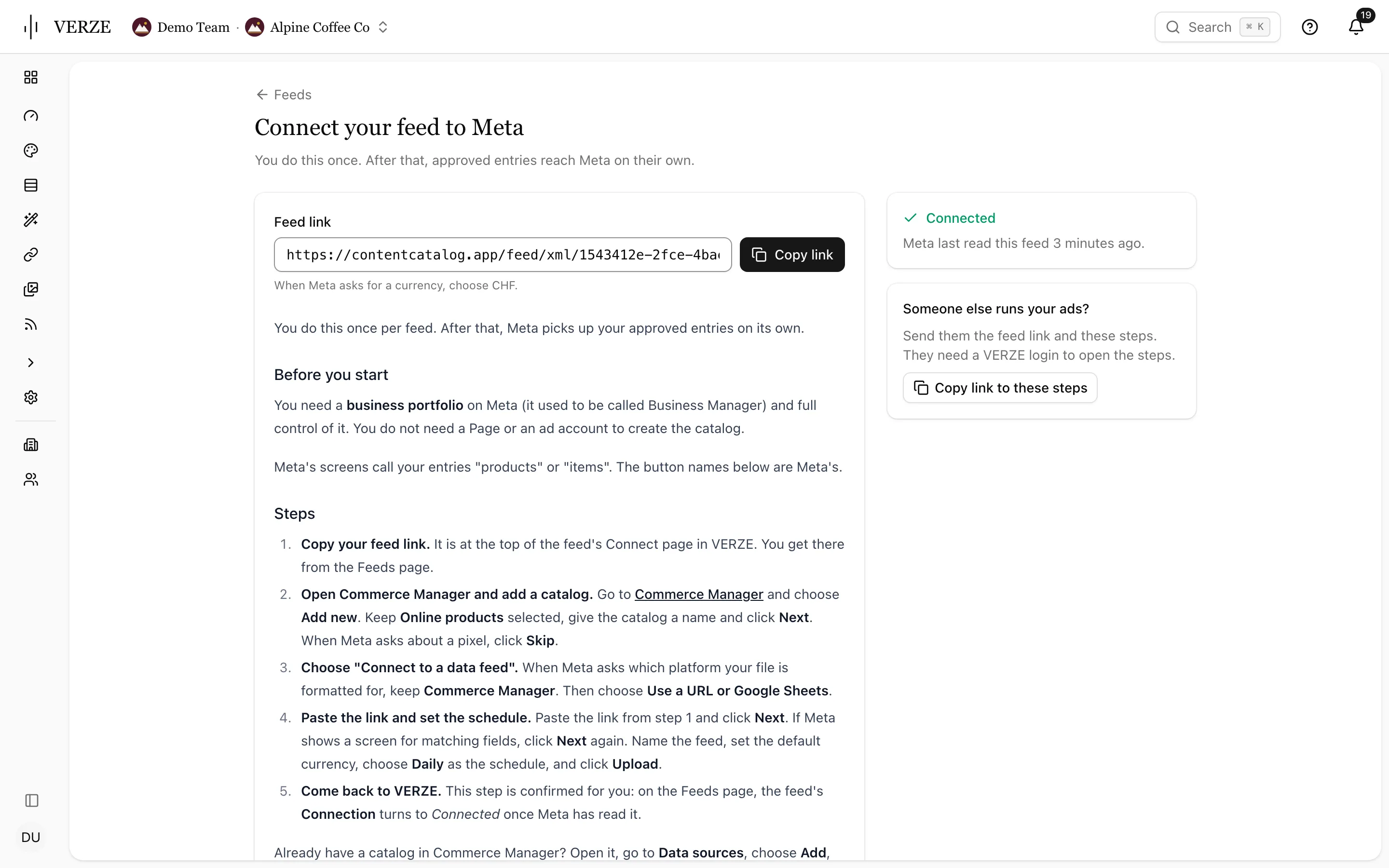
The Connect page gives you the feed link and the platform’s setup steps. It turns to Connected once the platform reads the feed. Copy link to these steps helps whoever runs your ads. Check the Connection column on Feeds and feed health on the overview.
Agencies enter to own client infrastructure. Enterprises enter to own the governed data layer behind every market, channel and agent.
For Agencies
Give every client one governed data layer across channels and turn one-off campaign work into recurring retainer value.
For Enterprise
Pull fragmented brand content into one governed, AI-ready source across teams, regions, platforms and agents.
Onboarding starts with one URL. The demo walks through the library, the feeds and the results on real entries.